Read live data
With your dongle connected and canair status happy, read
some real data. These examples target the bundled 2017 Ioniq profile, so the
ECU names (BMS, MCU, …) are Ioniq-specific — but discover works on any car.
# See every ECU responding on the bus (works on any vehicle)
canair discover

# Read the battery ECU's main PID, decoded into named parameters (Ioniq)
canair read BMS:2101

# Read all known parameters for an ECU
canair read BMS

# Read specific named parameters across ECUs
canair read --param SOC_BMS BATTERY_VOLTAGE BATTERY_POWER

# Watch a value live — refreshes, highlights changed bytes and the params they decode
canair monitor BMS:2101

# Read Diagnostic Trouble Codes across every ECU
canair dtc --all
canair read uses a small selector syntax
(ECU:PID) and can run multi-step pipelines over one session.
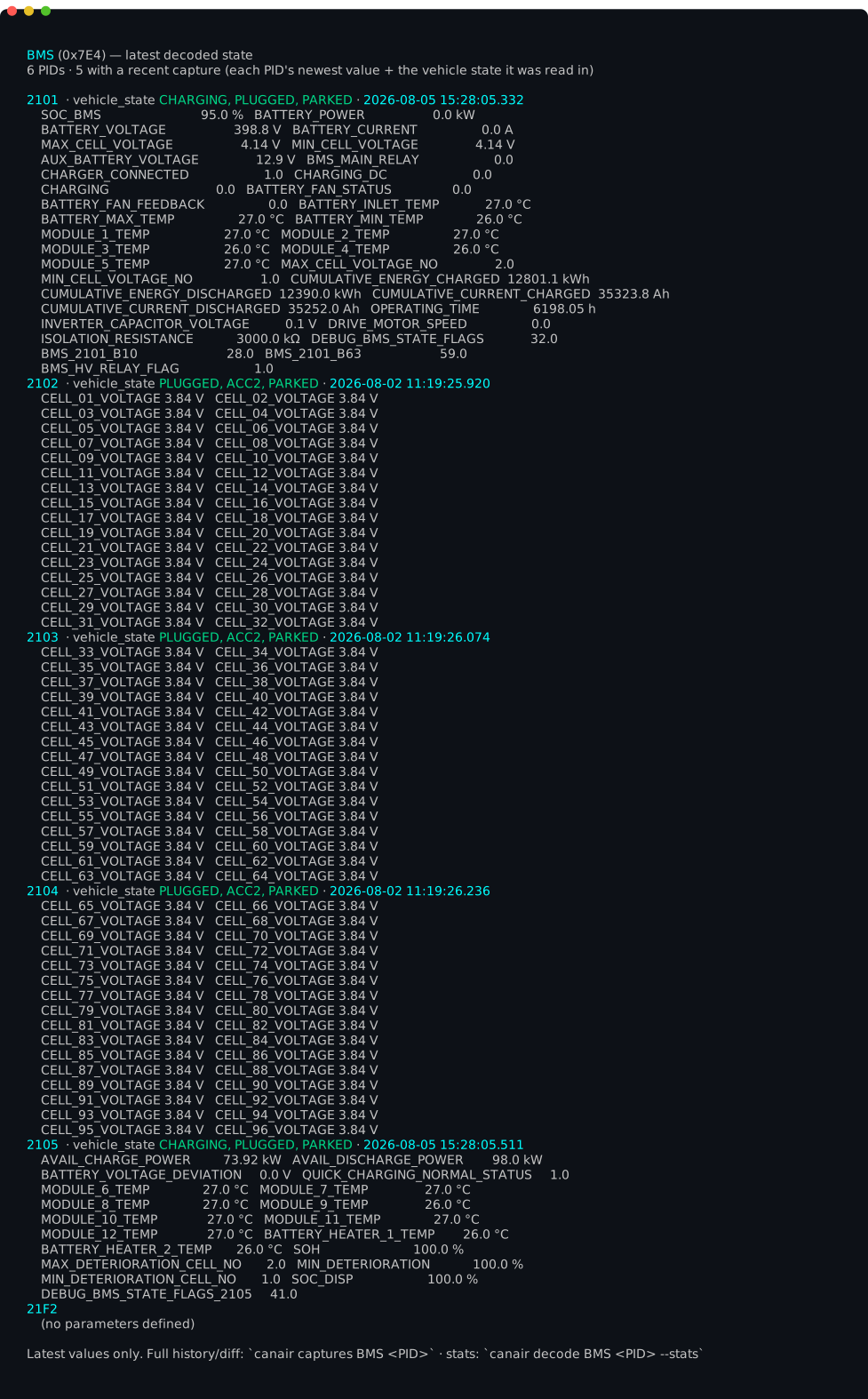
Once you've captured some readings, canair ecu <ECU> pids shows each PID's
latest decoded value — raw payloads turned into named, unit-bearing parameters:
Watch it live
canair monitor refreshes in place, highlighting the bytes that change and the
parameters they decode. Here it is polling the battery with the car in READY
mode — SOC, pack voltage/current, cell voltages, and module temperatures, with
changed values highlighted and the live payload byte-diff underneath:

It monitors several ECUs at once, too. This cross-ECU view watches the
drivetrain — the VCU (gear/drive-mode, vehicle state) alongside the MCU
(motor speed/torque, inverter temperatures) — and auto-detects the vehicle state
(READY) from the decoded values while recording (● REC):

On a different car
discover will list your car's ECUs, but BMS:2101 and the other named reads
depend on the active profile's definitions — which, on a fresh profile, are
empty. That's the whole point of the next section:
→ Bring your own car builds a profile for your vehicle so these named reads work for you.